A PDF shows nothing
A name, one line and a price. Guests can’t picture the dish, so they order what they already know.
QR menu for cafés and bars
A QR menu with photos and videos of every dish. Guests order from the table, the kitchen sees it instantly, and you see what people look at and buy. Works next to your current till.
The problem
A name, one line and a price. Guests can’t picture the dish, so they order what they already know.
For the menu, for a waiter, for that second round. When it’s busy, sales are left on the table.
You know what sold, but not what guests looked at and skipped.
How it works
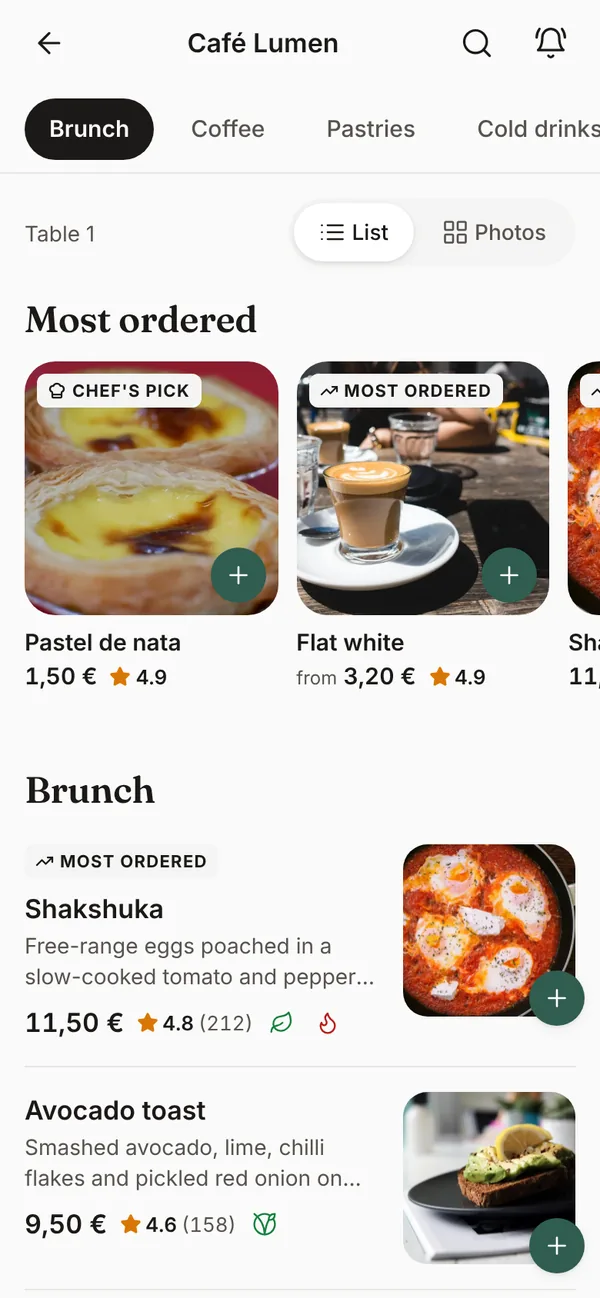
The menu opens on their own phone. No app, no account, and the table is already known.
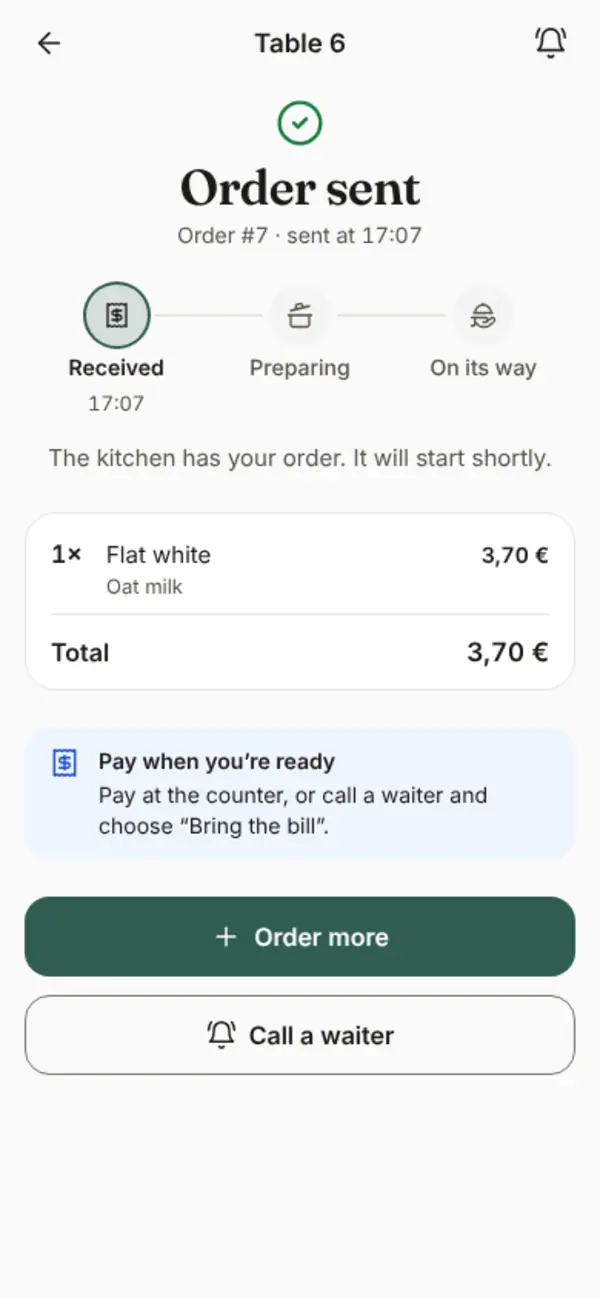
With photos, videos and choices like the milk in their coffee. The kitchen or bar sees the order within a second.
What gets looked at, ordered and skipped, with plain-language tips to make your menu better.
For your guests
Every dish gets its own page, like in an online shop. Guests see what they’re ordering, and are more willing to try something new.
The guest menu is in English today. More languages, including Dutch, are coming soon.
For the kitchen and bar
Put a tablet or laptop in the kitchen or behind the bar. That’s all you need.

For you
You manage everything yourself, from your laptop or phone.

Insights
Menu visits, orders, the share of visits that ordered, average order value and orders by hour. For every dish you see the path from seeing it to ordering it, and which dishes get opened a lot but rarely ordered.
Cold brew tonic gets opened a lot, but rarely ordered.
Try a clearer photo or a lower price.

No new equipment
For now, guests pay at the counter or with the waiter, as they do today. Nothing to replace.
For the orders board in the kitchen or behind the bar. Any browser works.
A code for each table, ready to print as a table card.
Online payment with iDEAL, cards and Apple Pay through Mollie, links with your till, and kitchen ticket printing.
Try it yourself
This is the real guest menu of our demo café. Go ahead and order something: it lands on the demo orders board, but nothing gets made or charged.
Scan with your phone’s camera
Or open the menu in this browserPricing
Start with a visual menu, or let guests order from the table too. Online payment is coming soon.
A visual menu that shows what you make.
Price on request
Guests order from the table.
Price on request
Everything in Menu, plus:
Guests pay from their phone.
Price on request
Everything in Order, plus:
Questions
No. They scan the QR code on the table and the menu opens in their phone’s browser. No app, no account.
No. Trek Menu works next to your current till. For now, guests pay at the counter or with the waiter.
A tablet or laptop with a browser for the orders board, and the printed QR codes on your tables.
Yes. Ordering from the phone is optional. Guests can also call a waiter from the menu.
At the counter or with the waiter for now. Online payment with iDEAL, cards and Apple Pay is coming soon.
English, today. More languages, including Dutch, are coming soon.
You and your team. The analytics are anonymous: guests don’t sign up, there are no ads, and we don’t sell data.
You add your menu and photos yourself in the back office, or we do it for you. Then you print the QR codes for your tables.
Demo
Leave your details and we’ll get in touch for a short demo, at your place or online. You’ll see the guest menu, the orders board and the back office.